The commands show and hide display and undisplay the specified atoms, bonds, pseudobonds, cartoons, molecular surfaces, and entire models. Following the usual convention, a blank specification means “all.”
See also: style, cartoon, surface, volume, Model Panel, Basic Actions, Toolbar, Actions menu, selection context menus
Examples:
show #1/a
hide /b-d cartoons
hide hbonds
hide nucleic targ cp
Which of the possible displays of a given atom, residue, etc. to show or hide can be specified with a level keyword or the target option:
| level | equivalent | meaning |
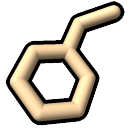
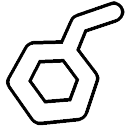
| atoms | target a | specified atoms;
bonds and pseudobonds with
both end atoms hidden are also hidden automatically
|
| bonds | target b | bonds specified directly or with both end atoms specified; end atoms included for show (since they are required to display the bond, see hierarchy) but not for hide |
| pseudobonds or pbonds |
target p | pseudobonds specified directly or with both end atoms specified; end atoms included for show (since they are required to display the pseudobond, see hierarchy) but not for hide |
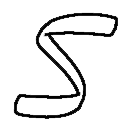
| cartoons or ribbons |
target c or target r |
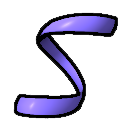
cartoon (ribbon) segments of the specified residues
|
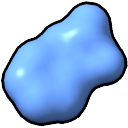
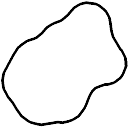
| surfaces | target s | molecular surface patches of the specified atoms;
show will use an existing surface, if any, otherwise generate
it with default surface parameters
|
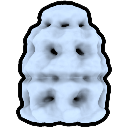
| models | target m | entire models,
without affecting the display status of their subparts
(for example, which atoms are shown;
see hierarchy); see also
|
The default level is atoms when spec includes atoms, pseudobonds when it includes only pseudobonds, and models when only nonatomic (e.g., volume) models are specified. A blank specification includes atoms when atomic models are present.
Alternatively, the target option allows specifying one or more levels as a single string of single-letter codes in any order, without commas or spaces. For example, target acs indicates atoms, cartoons, and molecular surfaces.